Every builder knows the drill. A crew member texts “we’re out of rebar,” someone scribbles it on a whiteboard, a purchase happens on a phone call, the receipt lives in a glovebox and three days later nobody can say what was ordered, who bought it, or where it ended up. Material procurement is one of the biggest sources of delays and budget leaks in construction, and it usually runs on memory and paper.
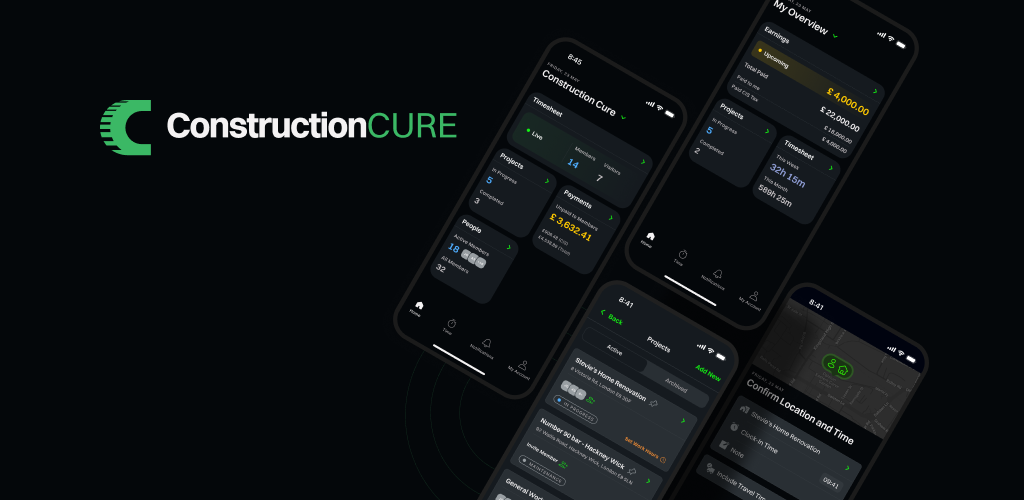
That changes today. Materials, the newest module in the freshly redesigned Construction Cure app, brings your entire material lifecycle – From “we need this” to “it’s been used” into one place your whole team can see.
One clear journey for every material
Every item in Materials moves through a simple, visible lifecycle: For Review → Ready to Buy → In Cart → Awaiting Delivery → On Site → Used. At any moment, anyone with access can see exactly where a material stands – no phone calls, no guessing.
Example: the life of 40 bags of cement
Here’s how that plays out on a real job site:
- Monday, 7:15 AM: For Review. Mike, the worker on the Riverside project, notices the crew will run out of cement by Thursday. He opens Materials, finds “Portland cement 25 kg” in the catalog, sets the quantity to 40, the due date to Wednesday, snaps a photo of the spec label on the last pallet, and submits the request.
- Monday, 9:00 AM: Ready to Buy. Frank, the site foreman, sees the request in his Review queue. He approves it and assigns Tom as the buyer. The app suggested him because he handles most purchases for Riverside. Tom gets notified.
- Tuesday morning: In Cart. Tom adds the cement to his cart alongside two other approved items, so he can handle everything in a single supplier run.
- Tuesday afternoon: Awaiting Delivery. Tom buys the cement from BuildMax, his usual supplier saved in the app. At checkout he records the supplier, marks that BuildMax is delivering, enters the amount paid, and attaches a photo of the receipt. The whole team can now see the purchase. No more “did anyone order the cement?” calls.
- Wednesday, 10:30 AM: On Site. The truck arrives. Mike counts the bags and spots three that got soaked in transit. He accepts the delivery and reports the problem: 37 good, 3 damaged, with photos. The app puts 37 bags On Site and keeps a documented record of the 3 damaged ones for the claim with BuildMax.
- Friday: Used. The crew finishes the foundation pour with 30 bags. Mike marks 30 as used. The app splits the item automatically, so the remaining 7 bags stay visible in the site inventory for the next pour.
Months later, when Alice from accounting asks what was spent on cement for Riverside, a dispute comes up about that damaged delivery or the entire story is right there in the material’s timeline: every action, every person, every photo, timestamped.
Request materials in seconds
Field crews can raise a request right from their phone:
- Built-in product catalog: search thousands of items or browse by category, with your recent picks one tap away.
- Custom items: need something the catalog doesn’t have? Add it by name.
- All the details up front: quantity, due date, project, notes, and attachments (snap a photo, pick from your library, or attach a PDF spec).
Review and approve with control
Requests land in a dedicated review flow where managers approve items and decide who buys them. Assign a buyer from your team with smart suggestions based on who buys most often or claim it yourself with one tap (“I will buy it“). Everyone knows whose job it is.
A cart built for job sites
Buyers get their own workflow: add approved items to a cart, adjust quantities, and check out by recording the purchase: supplier, who’s delivering, amount paid in your company currency, and the receipt photo attached right there. Every purchase becomes a permanent, searchable record tied to the material.
Deliveries without disputes
When materials arrive on site, the receiving crew confirms the delivery in the app. Something wrong? The Report a Problem flow handles damaged, missing, or incorrect items — count the good units, document the issue with photos and notes, record returns, and the app automatically keeps the remaining quantity tracked as still awaiting delivery.
Know what’s on site and what’s been used
Once materials are on site, the module becomes your inventory view. Mark items as used — including partial quantities, where the app automatically splits the item so the remainder stays tracked. Linked materials keep split items connected so nothing falls through the cracks.
Find anything, instantly
The full material list gives you:
- Status filters with live counts see at a glance how many items are waiting for review, ready to buy, or awaiting delivery.
- Team vs. My views: focus on just your own tasks or the whole project.
- Search and project scoping: filter by project or see everything across all projects.
- Due-date alerts: items due today or tomorrow are flagged, so nothing slips.
A complete audit trail
Every material carries its own timeline: who requested it, who approved it, when it was bought, delivered, used. Every quantity change, note, and attachment, timestamped. When questions come up weeks later, the answer is one tap away.
Your suppliers, organized
Manage your supplier list right in the app: company, contact person, phone, and email. Attach the right supplier to every purchase, so you always know where materials came from.
Built for real teams
- Granular permissions at both company and project level: control who can request, approve, assign, buy, accept deliveries, and manage inventory.
- Material Updates notifications: get notified about what matters via push, SMS, or email, configurable in your settings.
- A guided tour walks every user through the module the first time they open it.
-
Available in 9 languages
Get Materials on your site today
Materials is live now in the Construction Cure app.
- Already using Construction Cure? Update to the latest version from the App Store or Google Play, open the new Materials tab, and take the quick tour.
- New here? Download the app and bring your whole team on board in minutes:


Put your procurement on rails – your whiteboard can retire.